
tl;dr
- Notes: 0.2.0 at github.com/syndbg/onetui/releases. Link back to the 0.1.0 post.
What’s new, at a glance
- Notes:
- Every data source can now write, from the same query editor: PostgreSQL, Kafka, NATS, DynamoDB, RabbitMQ, Qdrant.
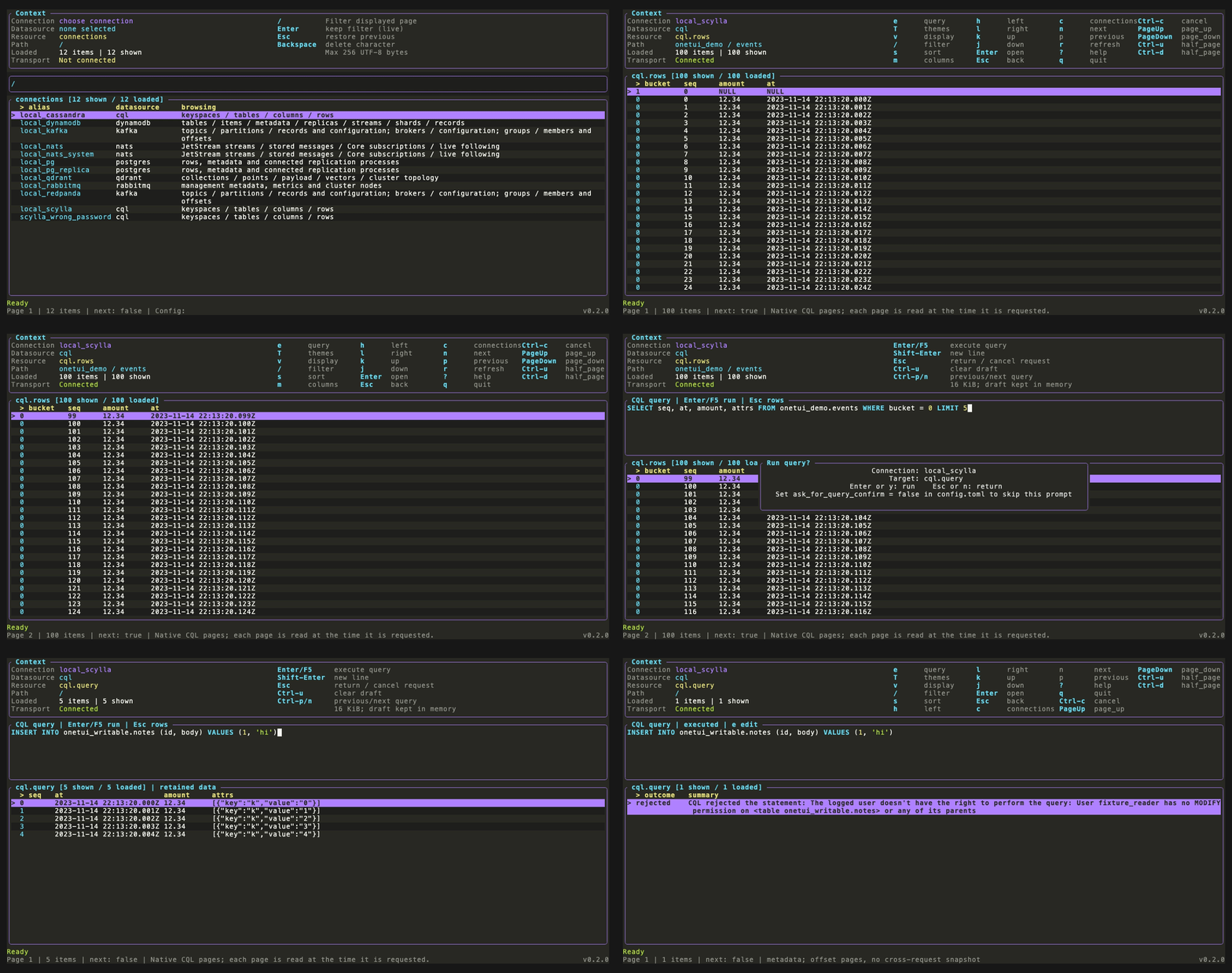
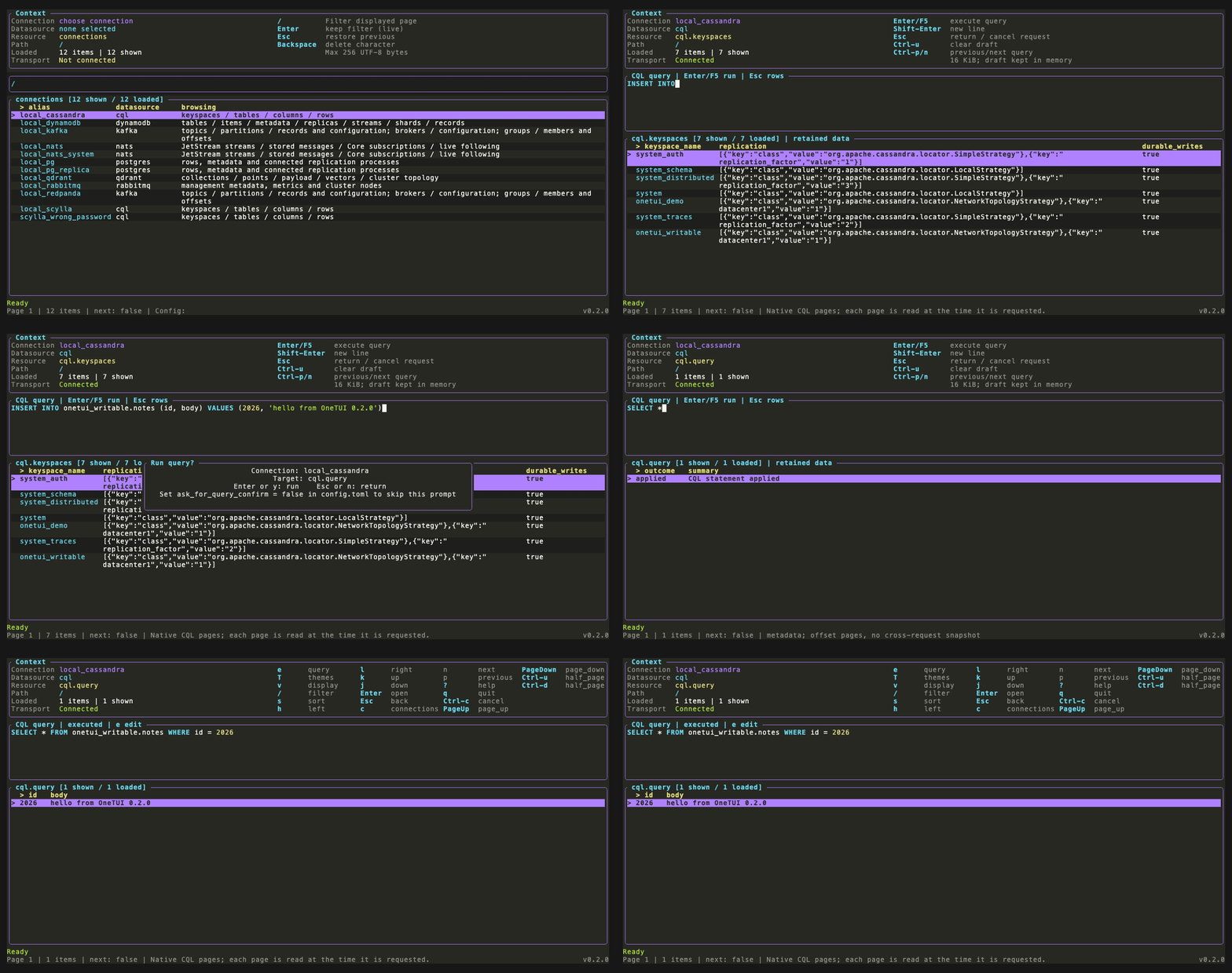
- New data source: ScyllaDB and Cassandra, through one
cqlconnection kind. - Syntax highlighting in the editor, per data source language.
- Multi-line editor (Shift+Enter), query history (Ctrl-P / Ctrl-N, Shift+H), optional persistent history.
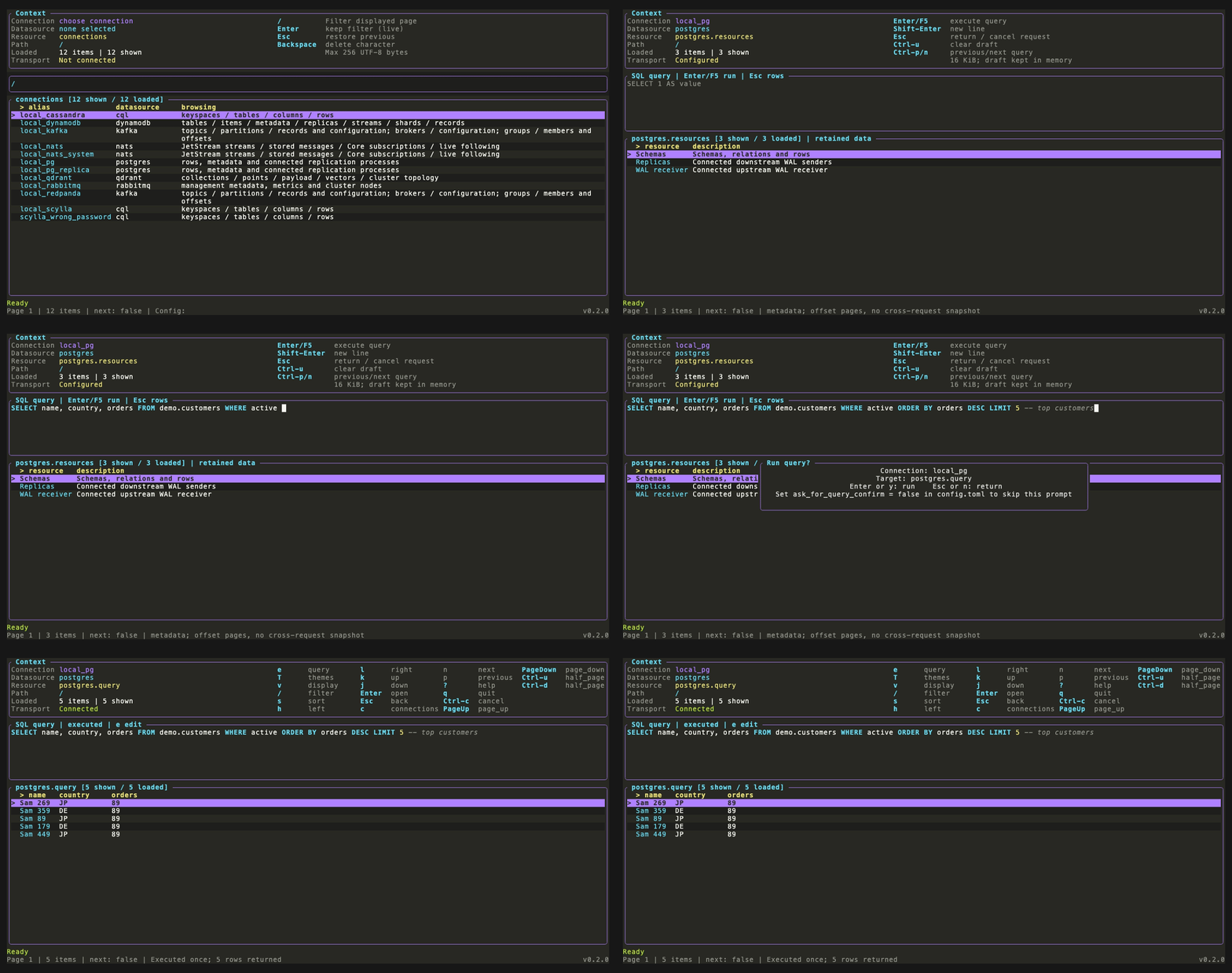
- Confirmation before a query runs, on by default (
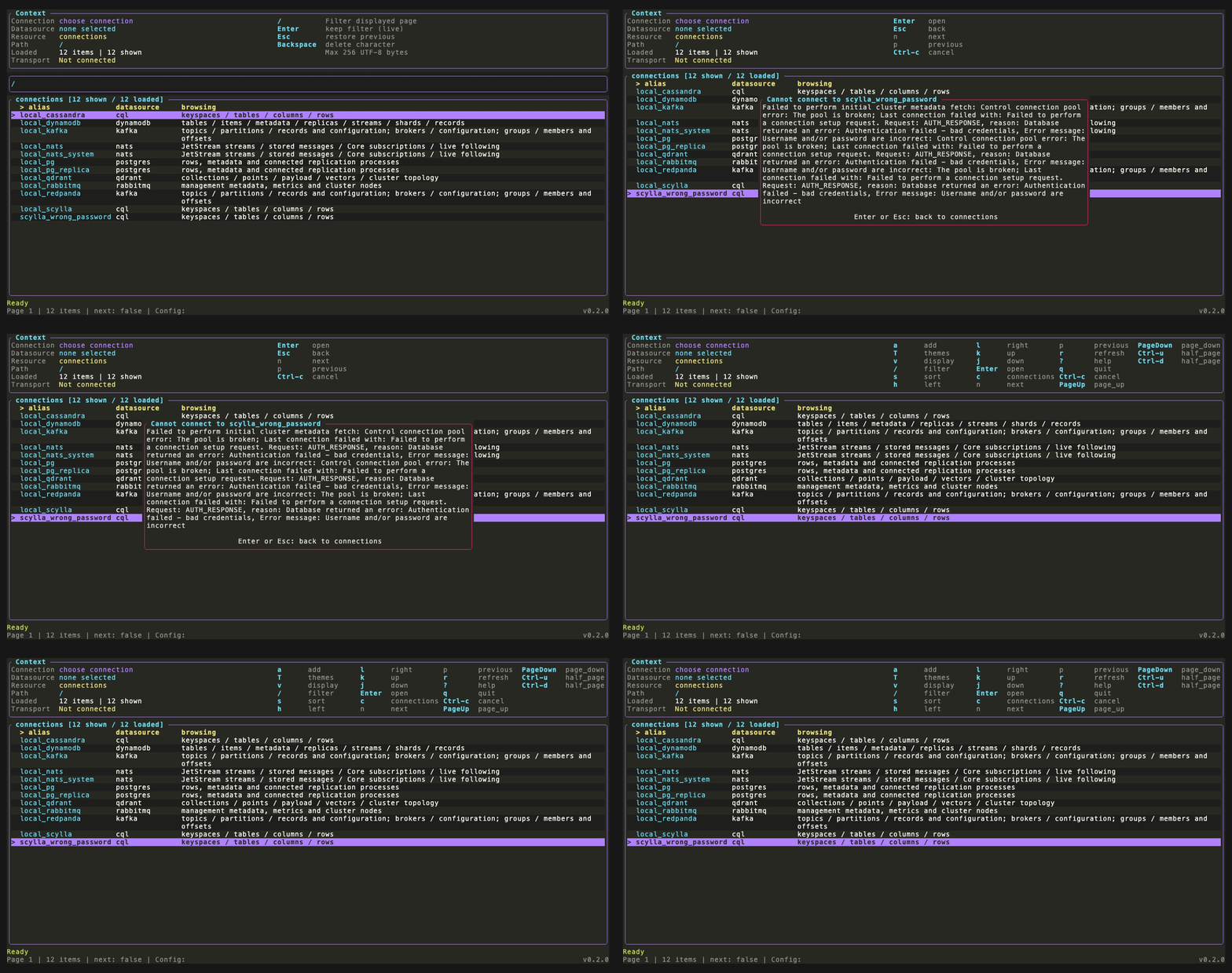
ask_for_query_confirm). - Connection errors in a popup.
- Inline
username=/password=credentials in connection config (#41). - The 0.1.0 post named four sources. 0.1.0 already shipped DynamoDB and RabbitMQ as read-only too. 0.2.0 makes seven.
PostgreSQL: SQL with highlighting and a confirmation step
ScyllaDB and Cassandra: one CQL provider
Connection errors in a popup
Kafka: PRODUCE and CONSUME
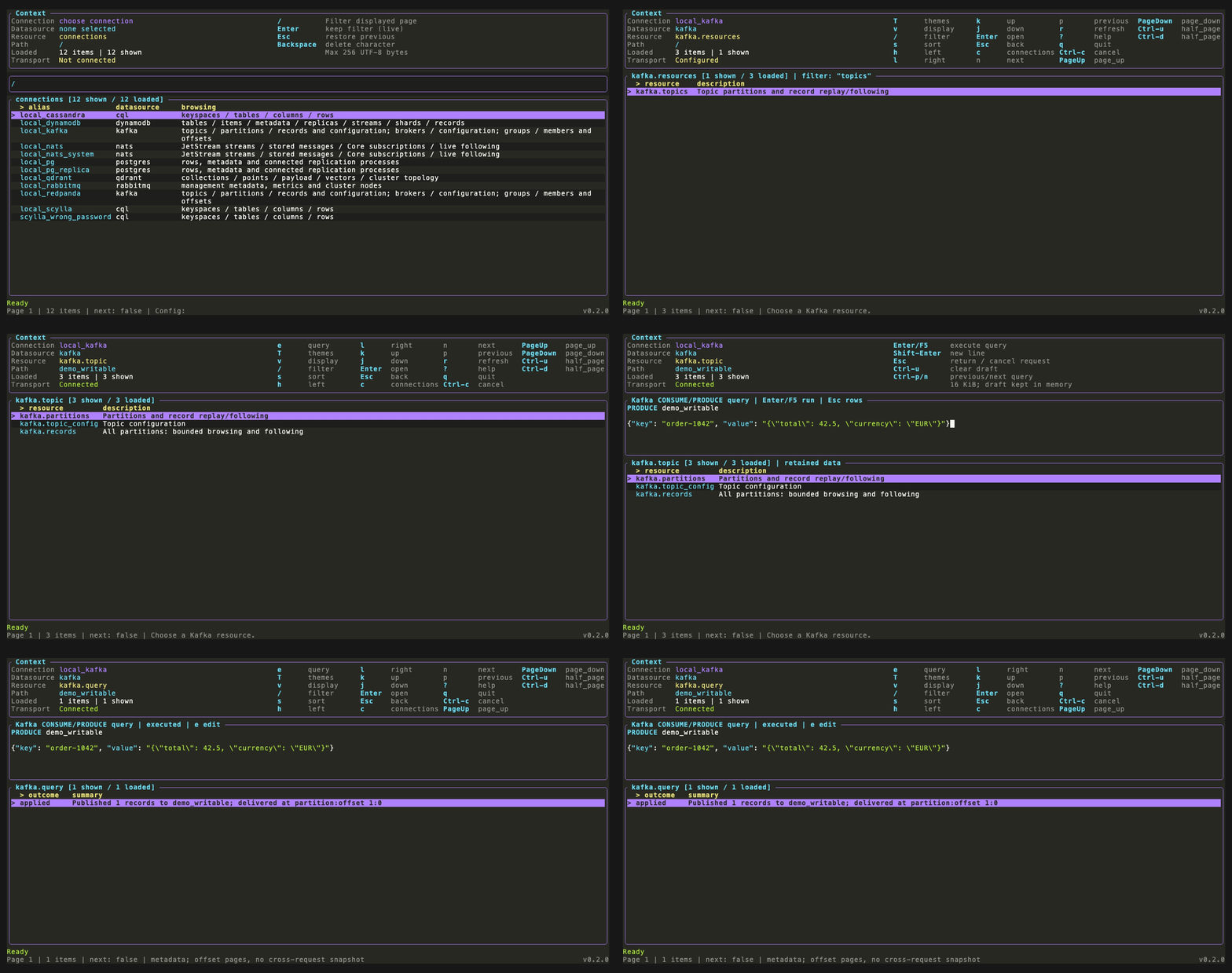
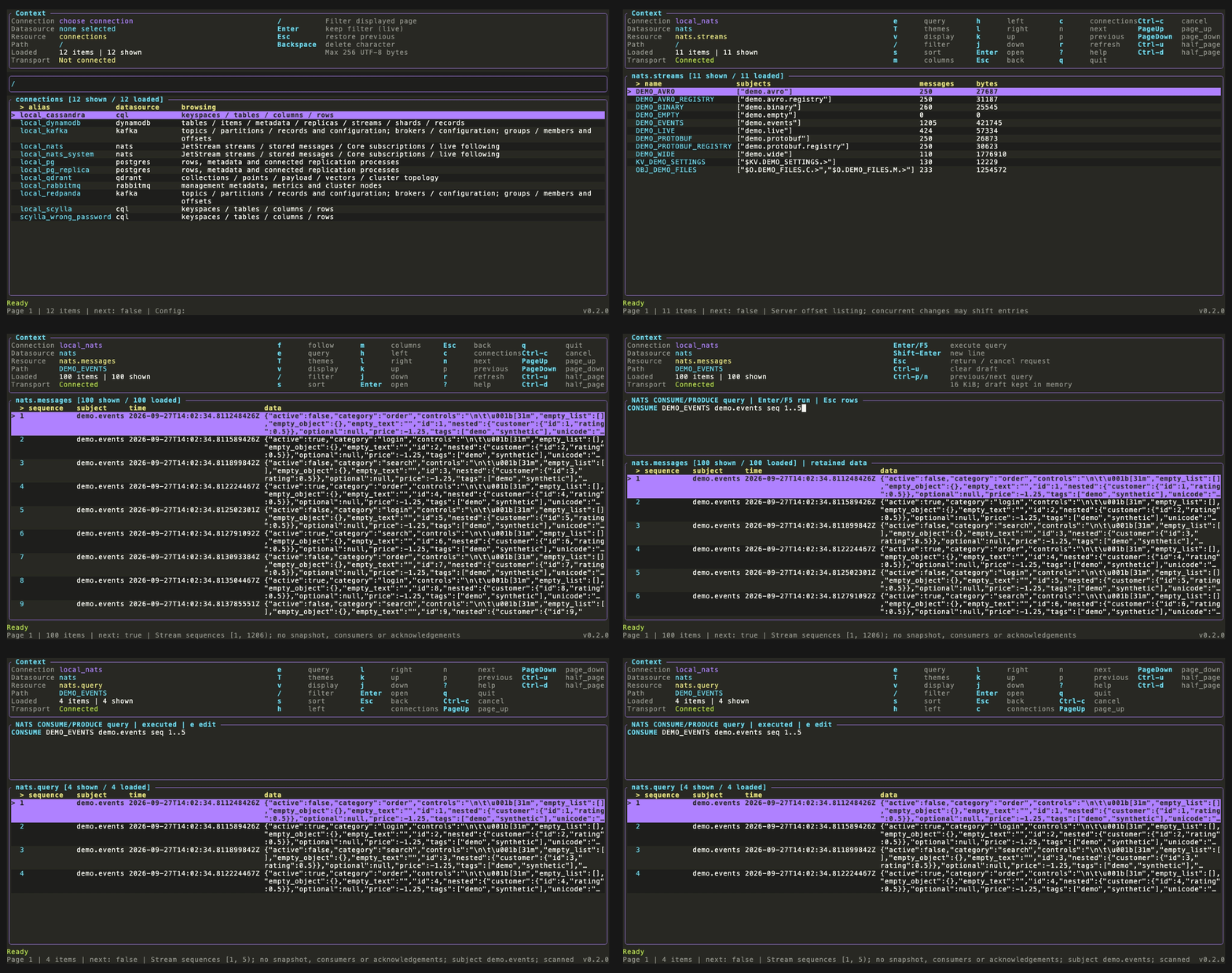
NATS JetStream: the same verbs
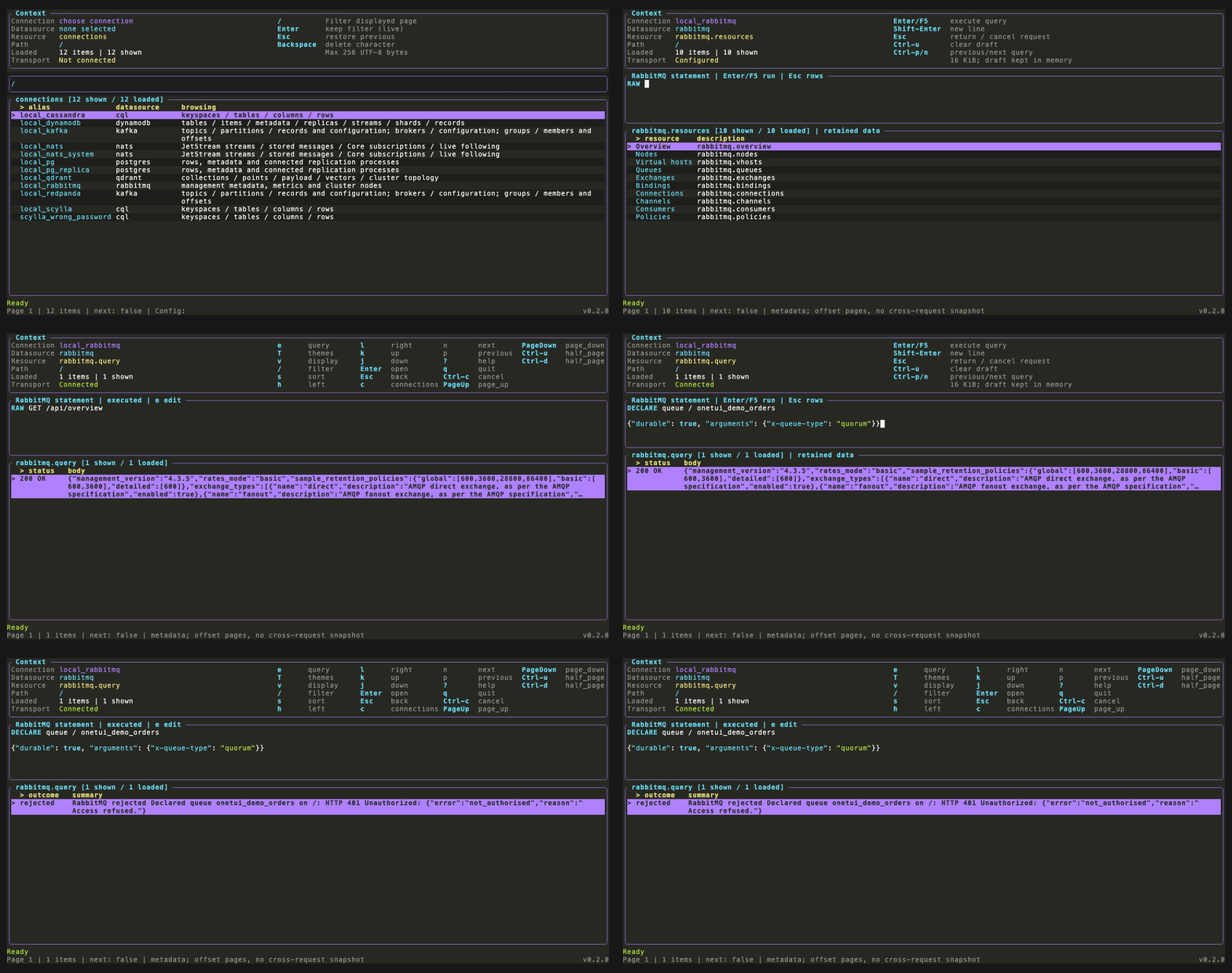
RabbitMQ: verbs instead of URL-encoded paths
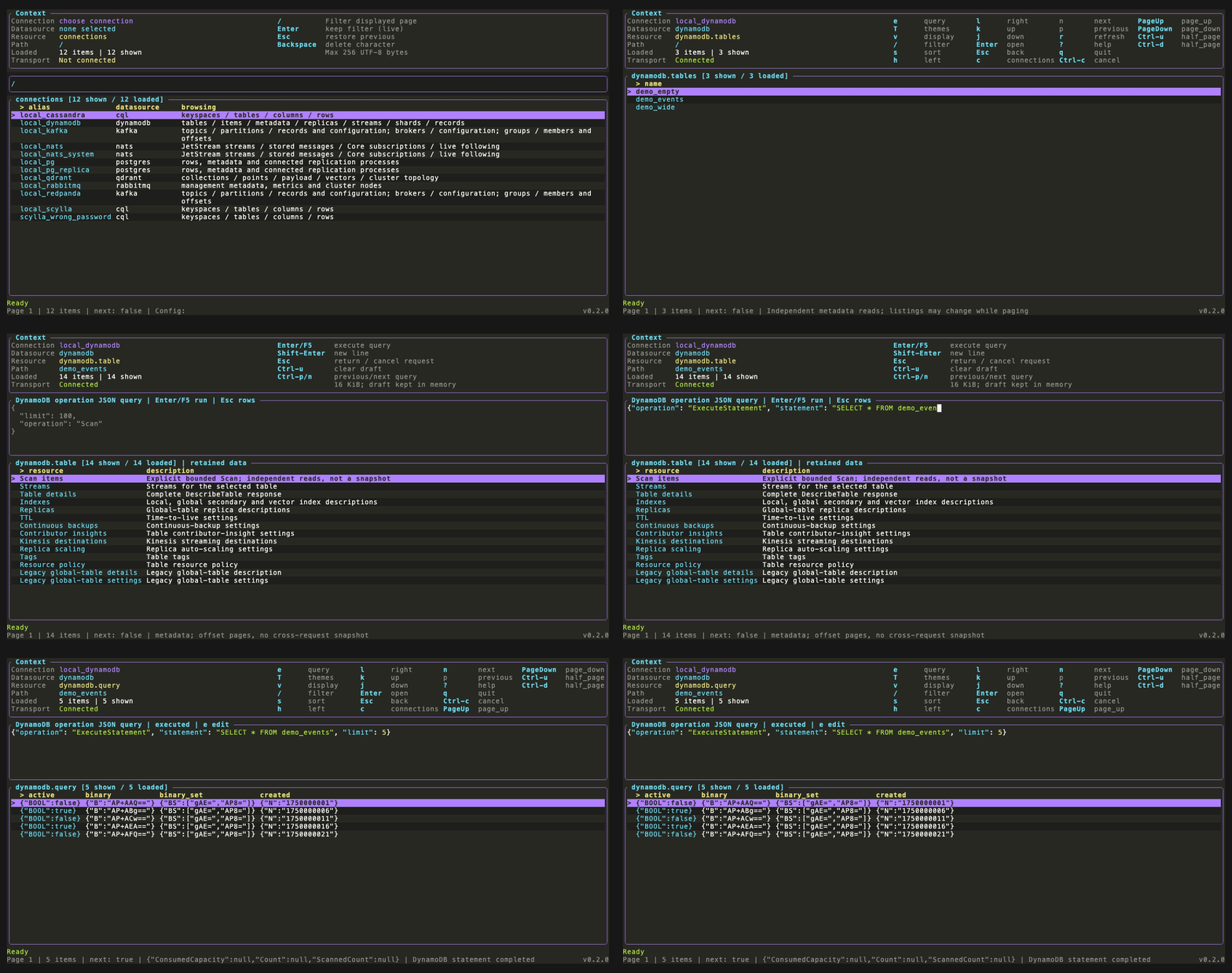
DynamoDB: PartiQL through ExecuteStatement
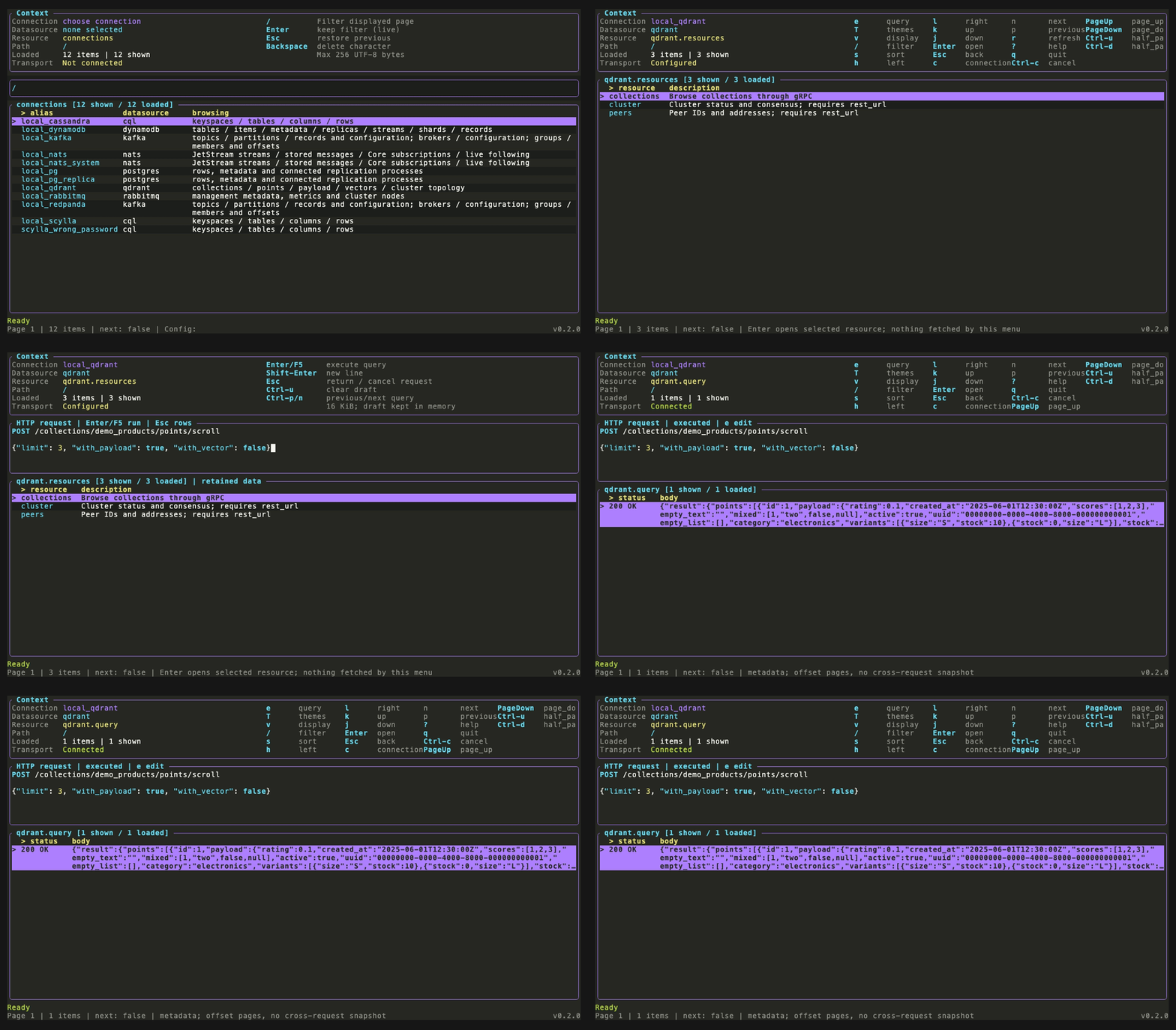
Qdrant: HTTP requests
What 0.2.0 is about
Getting 0.2.0 out was mostly time spent thinking. Not typing, thinking. How do you make the developer experience feel the same when one data source speaks SQL, another speaks HTTP and a third is a log of bytes with no query language at all?
From read-only to writes
In the 0.1.0 post I said read-only comes first, because writes raise the stakes: wrong target, wrong environment, data loss. I also said autocomplete would come before writes. Well, writes shipped first. Autocomplete didn’t make it.
Why I’m fine with that: autocomplete helps you type the right thing. It doesn’t stop you from running the wrong thing against the wrong cluster. What does help:
- Before anything runs, a popup tells you which connection and which target you’re about to hit. It’s on by default. If you find it annoying,
ask_for_query_confirm = falseturns it off. Your call. - Every write tells you what happened: applied, rejected or unknown.
- Nothing retries on its own. Ever. If OneTUI says “unknown”, go look before you hit Enter again. A resend can duplicate a Kafka record, bump a Cassandra counter twice or append to a list twice, and only you know if that’s fine.
- A rejected query doesn’t kill your connection. You fix the typo and carry on.
And the boring one that still matters most: use credentials that can’t do more than they should.
One editor, many languages
Every data source gets the same editor and the same flow. Press e, type, confirm, run, look at the result. Ctrl-P brings back what you ran before, Ctrl-C cancels. Same keys whether it’s Postgres or RabbitMQ.
The TUI doesn’t try to guess if your query reads or writes. It hands the text to the data source’s provider, and the provider decides. OneTUI never has to understand SQL, CQL and PartiQL to know what you meant, and that’s the reason it scales.
The rule I landed on is simple:
- If the data source already has a query language, you write that language, as is. SQL for Postgres, CQL for ScyllaDB and Cassandra, PartiQL for DynamoDB.
- If it doesn’t, you write a verb line that names the target, then a blank line, then a body.
That’s it. That’s the whole DSL.
| Data source | What you type | Example |
|---|---|---|
| PostgreSQL | SQL | SELECT * FROM demo.customers |
| ScyllaDB, Cassandra | CQL | SELECT * FROM ks.events WHERE bucket = 0 |
| DynamoDB | PartiQL, inside a JSON operation | {"operation": "ExecuteStatement", ...} |
| Qdrant | HTTP | POST /collections/demo/points/scroll |
| Kafka | Verbs | CONSUME orders/0 offsets 123..250, PRODUCE orders |
| NATS | Verbs | CONSUME EVENTS orders.* seq 1..500, PRODUCE EVENTS orders.created |
| RabbitMQ | Verbs | PUBLISH / amq.default demo, DECLARE queue / demo, RAW GET /api/overview |
I didn’t start there. Kafka and NATS first took a JSON object, and the keys in it decided what happened. That was fine for one operation and fell apart at two. It also had nowhere to say which topic or stream you meant. So the query only made sense from the screen you typed it on.
RabbitMQ was the other lesson. I first passed GET /api/... straight through to the management API, same as Qdrant. Then you meet the default vhost. It’s literally named /, so in a URL it has to be %2F. Every path turned into /api/queues/%2F/demo, and if you got the encoding wrong, RabbitMQ gave you a bare 404 and a shrug. Now you type GET / demo and OneTUI does the encoding. For the long tail of endpoints the verbs don’t cover, RAW is still there.
Qdrant keeps plain HTTP, since its REST API is already what people know.
A verb line puts the target up front, so a query means the same thing wherever you run it. And since OneTUI knows which view you came from, it can prefill that line for you.
I think this is the approach that scales best across data sources while staying relaxed about it. There’s no grand universal query language to learn, and no pretending a Kafka topic is a SQL table. I’m fairly sure even an RPC-only database like TigerBeetle would fit. It has no query language, just a handful of operations, which is exactly what verbs are for:
LOOKUP accounts 1 2 3
CREATE transfers

{"id": 1, "debit_account_id": 1, "credit_account_id": 2, "amount": 10, "ledger": 1, "code": 1}
Not built, just a sketch. But it slots in without changing anything else.
Syntax highlighting, and why not tree-sitter
Once the language question was settled, highlighting was almost free. Every data source uses one of three syntaxes: SQL (plus its own extra keywords), JSON, or a verb line with a body.
My first instinct was tree-sitter, because that’s what everyone uses. I tried it, and a few other options, on the same four half-typed queries. tree-sitter’s SQL grammar colored 0 as a string and tags CONTAINS 'a' as one big string. The PartiQL parser keeps its lexer private and drags in 56 crates. So I went with the sqlparser tokenizer for SQL and CQL, the jsonc-parser scanner for JSON, and a tiny lexer of my own for the verb line.
What I cared about:
- Half-typed input keeps its color. An unfinished string stays a string instead of the whole line going gray.
- Message payloads don’t get colored. They’re sent as raw bytes, so pretending they’re JSON would lie to you.
- It reuses each theme’s existing colors, so all ten themes just work.
What’s next
- Notes:
- Autocomplete and MCP are not in 0.2.0.
- The 0.1.0 post named ScyllaDB/Cassandra as the next source. It shipped.
- Open items the author may mention or skip: custom keybinds (still fixed), schema-encoded publishing (write encoded bytes for now), a CQL TLS fixture.
Code is at github.com/syndbg/onetui.